# Backing Up Physical Media

Backing up your physical media to digital copies isn't difficult, but it does require the correct hardware and software. This section will detail recommended tools and eventually outline the process I use to back up and consume my physical media to digital.

# Backup Process Overview

1. Make a exact digital copy of the physical disc using [Makemkv](https://ref.darkrivers.net/books/backing-up-physical-media/page/makemkv "Makemkv").
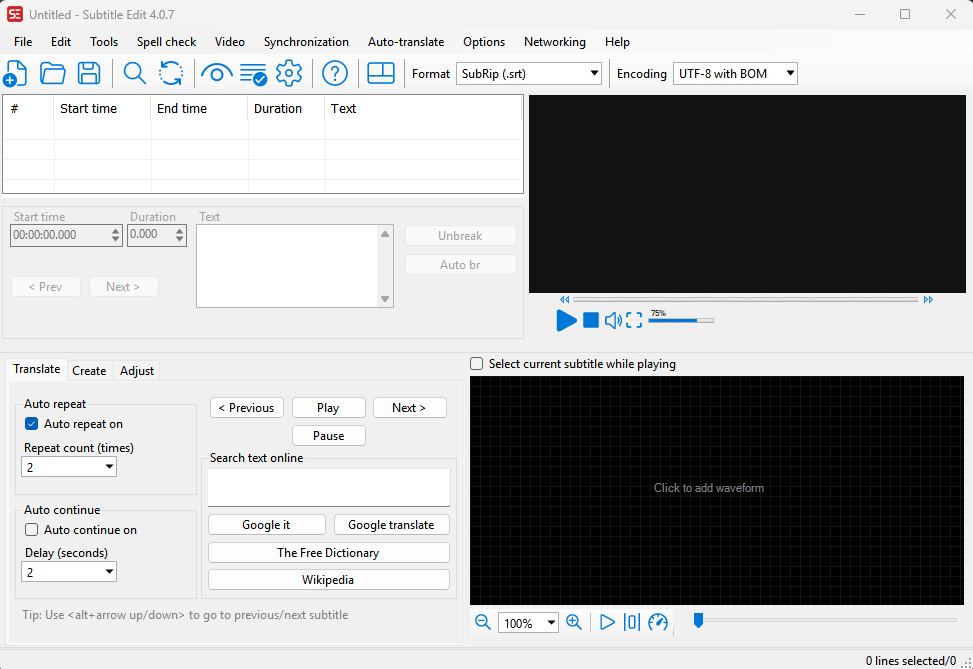
2. Open your new .MKV file using [Subtitle Edit](https://ref.darkrivers.net/books/backing-up-physical-media/page/subtitle-edit "Subtitle Edit") to look for default \\ forced tracks and make note.
3. Compress your .MKV file using [Handbrake](https://ref.darkrivers.net/books/backing-up-physical-media/page/handbrake "Handbrake"). (Select correct Audio tracks and format as well as subtitles).
4. Test your new file to make sure play back looks good using VLC or similar player.
5. Normalize your compressed .MKV file name and copy to final storage location. (Recommend using [Filebot](https://ref.darkrivers.net/books/backing-up-physical-media/page/filebot "Filebot"))
6. Clean up\\Remove original uncompressed MKV copy.
7. Archive \\ Access your digital copies using an application like Plex or Jellyfin.

# Recommended Hardware

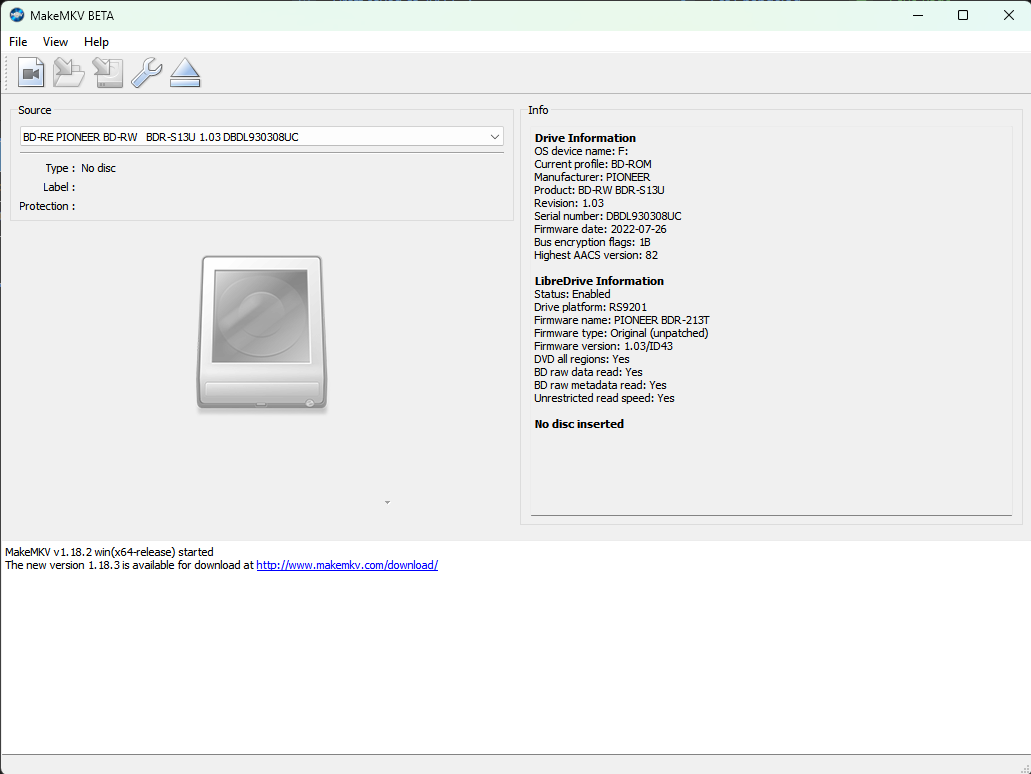
In order to backup DVD &amp; Bluray discs, nearly any modern Bluray drive will work. Backing up 4k Bluray (UHD) disks requires specific drive and firmware combinations.

Useful information on firmware and hardware can be found in the [4k\\UHD section of the Makemkv Forum](https://forum.makemkv.com/forum/viewforum.php?f=12)

# Jason's Drive List

These are the Drives I currently use with Makemkv and are known good.

- [LG WH16NS60 ](https://www.lg.com/us/burners-drives/lg-wh16ns60-internal-blu-ray-dvd-drive) (Updated with the firmware referenced in the[ Makemkv Forum](https://forum.makemkv.com/forum/viewforum.php?f=12 "Make MKV UHD Forum"))
- [Pioneer BDR-S13U](https://www.dndplaylists.net/Pioneer%20BDR-S13U) - Purchased Pre-Flashed but seller no longer has in stock

Drive Enclosure - All the drives I use were for Internal use so I use the following Enclosures. (I have had problems with generic or less expensive enclosures)

- [OWC Mercury Pro](https://www.amazon.com/dp/B06XRCCV44?th=1 "Mercury Pro")

# Recommended Software

Useful software for backing up Physical Media

# Filebot

<table border="1" id="bkmrk-software%3A-filebot-wh" style="border-collapse: collapse; width: 100%;"><colgroup><col style="width: 19.3087%;"></col><col style="width: 23.242%;"></col><col style="width: 6.19785%;"></col><col style="width: 51.2515%;"></col></colgroup><tbody><tr><td style="background-color: rgb(53, 152, 219);"><span style="color: rgb(236, 240, 241);">**Software:**</span></td><td colspan="3" style="background-color: rgb(53, 152, 219);"><span style="color: rgb(236, 240, 241);">**Filebot**</span></td></tr><tr><td>**Why\\Problem Solved:**</td><td colspan="3">Filebot helps automate renaming and moving your processed medial files into their permanent storage location. It uses tmdb to help identify and rename files so they are accurately [identified by plex](https://support.plex.tv/articles/naming-and-organizing-your-movie-media-files/ "Plex File Naming") etc. </td></tr><tr><td>**Cost:**</td><td>$6.00 Annual or $48 Lifetime</td><td>Link:</td><td>[https://www.filebot.net/](https://www.filebot.net/ "filebot")</td></tr><tr><td>**Tips:**</td><td colspan="3">- If Filebot doesn't quickly identify your file try renaming it to remove the extra characters etc that Makemkv can sometimes add.
- It can be helpful to know the year the movie was released and include (year) in the file name when a match is being difficult.
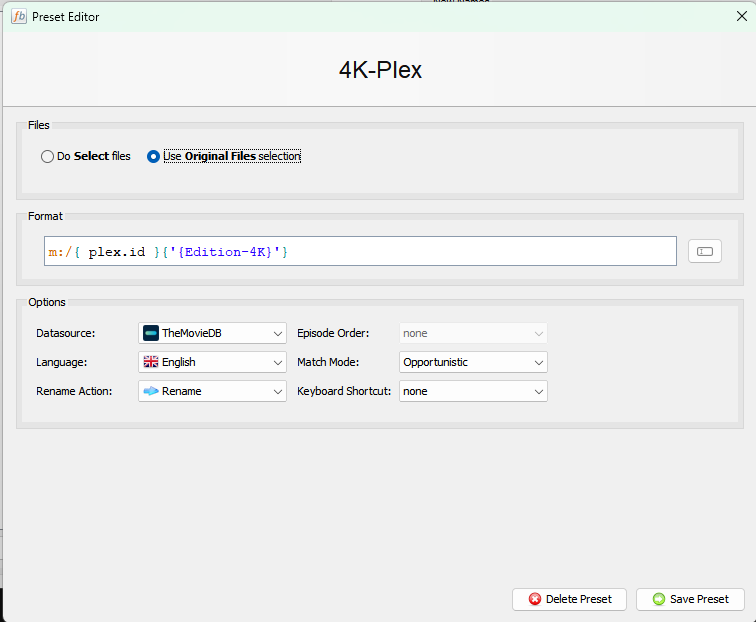
- You can customize the file presets to include additional info such as Editions etc. In the example below I include my M: drive so in addition to renaming it's moving the final file to it's permanent location as part of the action.

[![image.png](https://www.dndplaylists.net/uploads/images/gallery/2026-03/scaled-1680-/DGwpLWDMOAKHXMvt-image.png)](https://www.dndplaylists.net/uploads/images/gallery/2026-03/DGwpLWDMOAKHXMvt-image.png)
</td></tr></tbody></table>

# Handbrake

<table border="1" id="bkmrk-software%3A-filebot-wh" style="border-collapse: collapse; width: 100%;"><colgroup><col style="width: 19.3087%;"></col><col style="width: 23.242%;"></col><col style="width: 6.19785%;"></col><col style="width: 51.2515%;"></col></colgroup><tbody><tr><td style="background-color: rgb(53, 152, 219);"><span style="color: rgb(236, 240, 241);">**Software:**</span></td><td colspan="3" style="background-color: rgb(53, 152, 219);"><span style="color: rgb(236, 240, 241);">**Handbrake**</span></td></tr><tr><td>**Why\\Problem Solved:**</td><td colspan="3">Reduce the file size of your physical media backups at the cost of some quality. </td></tr><tr><td>**Cost:**</td><td>Free Open Source</td><td>Link:</td><td>[ https://handbrake.fr/](https://handbrake.fr/ "Handbrake")</td></tr><tr><td>**Tips:**</td><td colspan="3">- Compressing your media files is always a give and take between managing file size and quality. Take some time to experiment with the settings and profiles to get the best fit for your needs. There are some great tutorials on youtube etc that cover solid starting points.
- Even minor tweaks and file size reductions can add up to big disk space savings across a large library of files.

[![image.png](https://www.dndplaylists.net/uploads/images/gallery/2026-03/scaled-1680-/D1qCr9fyAZ19SfQU-image.png)](https://www.dndplaylists.net/uploads/images/gallery/2026-03/D1qCr9fyAZ19SfQU-image.png)
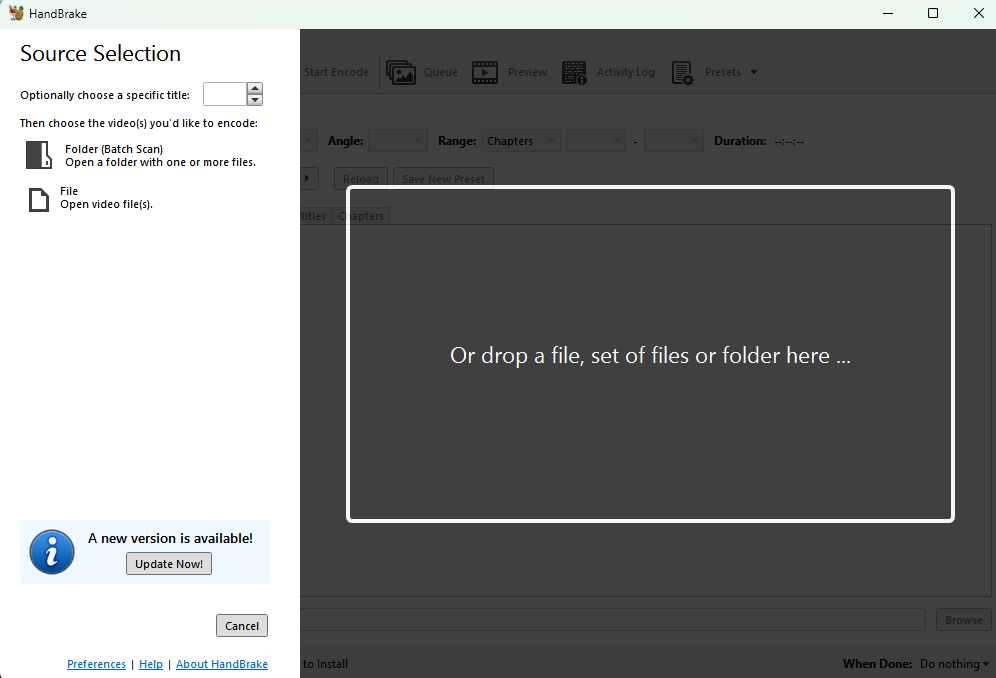
  
  
My Current Presets: (You can import these)  
  
[4k UHD Bluray](https://www.dndplaylists.net/attachments/8 "UHD Handbrake Preset")

[1080p Standard Bluray](https://www.dndplaylists.net/attachments/9 "1080p Bluray")

</td></tr></tbody></table>

# Kometa

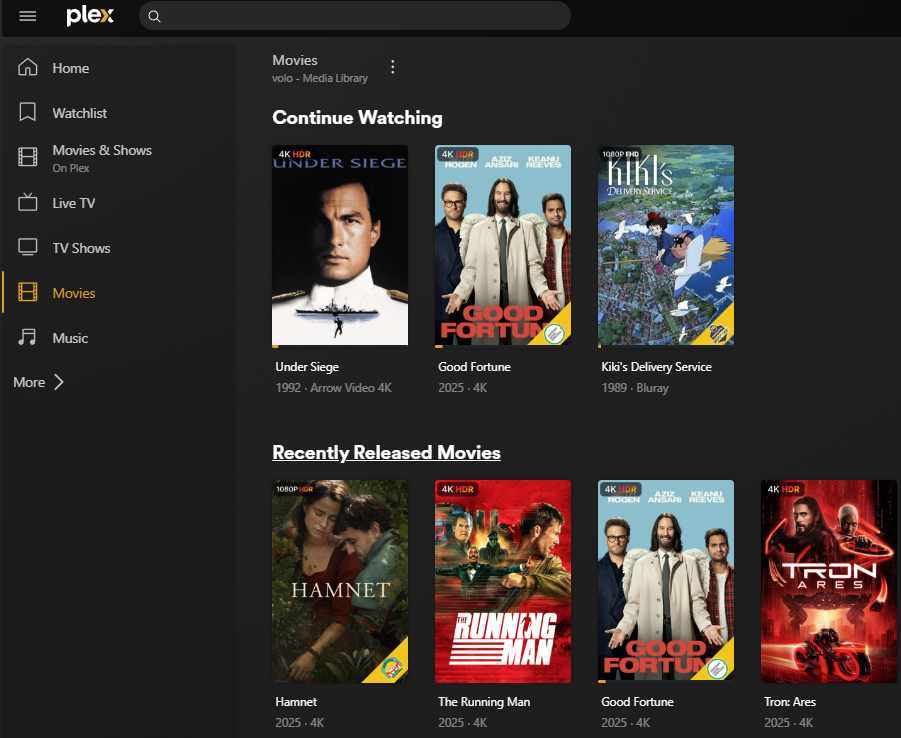
<table border="1" id="bkmrk-software%3A-filebot-wh" style="border-collapse: collapse; width: 100%;"><colgroup><col style="width: 19.3087%;"></col><col style="width: 23.242%;"></col><col style="width: 6.19785%;"></col><col style="width: 51.2515%;"></col></colgroup><tbody><tr><td style="background-color: rgb(53, 152, 219);"><span style="color: rgb(236, 240, 241);">**Software:**</span></td><td colspan="3" style="background-color: rgb(53, 152, 219);"><span style="color: rgb(236, 240, 241);">**Kometa**</span></td></tr><tr><td>**Why\\Problem Solved:**</td><td colspan="3">Kometa lets you customize your plex library and build collections create cool overlays etc. I primarily use it to create collections within plex based on IMDB lists etc as well as create resolution and feature overlays for HDR etc. Kometa runs seperate from your Plex server and processes your library. I run mine instance as a docker container and have a script that simply starts it automatically when I want to update it. </td></tr><tr><td>**Cost:**</td><td>Free Opensource</td><td>Link:</td><td>[https://kometa.wiki/en/latest/](https://kometa.wiki/en/latest/ "Kometa")</td></tr><tr><td>**Tips:**</td><td colspan="3">- Kometa isn't as simple to use as plex but it's worth putting the time in. The website has plenty of configuration examples and documentation to help you get started.
- Here are my config files for reference. You will need to customize to match your plex address , apikeys etc. [MyCollections.yml](https://ref.darkrivers.net/attachments/10) [config.yml](https://ref.darkrivers.net/attachments/11) [MyOverlays.yml](https://ref.darkrivers.net/attachments/12)

[![image.png](https://ref.darkrivers.net/uploads/images/gallery/2026-03/scaled-1680-/IezI8v0wQ1Omw6tj-image.png)](https://ref.darkrivers.net/uploads/images/gallery/2026-03/IezI8v0wQ1Omw6tj-image.png)
</td></tr></tbody></table>

# Makemkv

<table border="1" id="bkmrk-software%3A-filebot-wh" style="border-collapse: collapse; width: 100%;"><colgroup><col style="width: 19.3087%;"></col><col style="width: 23.242%;"></col><col style="width: 6.19785%;"></col><col style="width: 51.2515%;"></col></colgroup><tbody><tr><td style="background-color: rgb(53, 152, 219);"><span style="color: rgb(236, 240, 241);">**Software:**</span></td><td colspan="3" style="background-color: rgb(53, 152, 219);"><span style="color: rgb(236, 240, 241);">**Makemkv**</span></td></tr><tr><td>**Why\\Problem Solved:**</td><td colspan="3">Making an exact copy of physical DVD, Blurays or 4k Blurays (UHD)</td></tr><tr><td>**Cost:**</td><td>Free For Beta \\ $60 Lifetime</td><td>Link:</td><td>[https://www.makemkv.com/buy/](https://www.makemkv.com/buy/ "Makemkv")</td></tr><tr><td>**Tips\\Screenshot:**</td><td colspan="3">- Makemkv has been in a state of perpetual beta that requires you to download a fresh copy on a set schedule If you want to support the software and eliminate the expiring beta copies you can purchase it.
- Makemkv does support backing up 4k Bluray dics but does require specific drives and firmware combinations. Specific info, how to guides etc can be found in the[ Makemkv forum here.](https://forum.makemkv.com/forum/viewforum.php?f=12 "Makemkv UHD Forum")
- Makemkv relies on a database of key files in order to backup 4k UHD discs. If you are processing a brand new title I have found it helpful to manually download a new database of available keys manually. (Makemkv normally does this in the background automatically.   
      
    The following simple powershell script forces a manual download \\ update. ) This solves most of my issues with new titles.  
      
    ```
    $sourceUrl = "http://fvonline-db.bplaced.net/fv_download.php?lang=eng"
    # Edit destination path to make the location of your MakeMKV Install
    $destinationPath = "C:\Users\username\.MakeMKV\keydb_eng.zip"
    
    # Download the file and overwrite if it already exists
    Invoke-WebRequest -Uri $sourceUrl -OutFile $destinationPath -UseBasicParsing
    ```

[![image.png](https://www.dndplaylists.net/uploads/images/gallery/2026-03/scaled-1680-/ZWtn9TFW5EDNhB09-image.png)](https://www.dndplaylists.net/uploads/images/gallery/2026-03/ZWtn9TFW5EDNhB09-image.png)
</td></tr></tbody></table>

# Plex Media Server

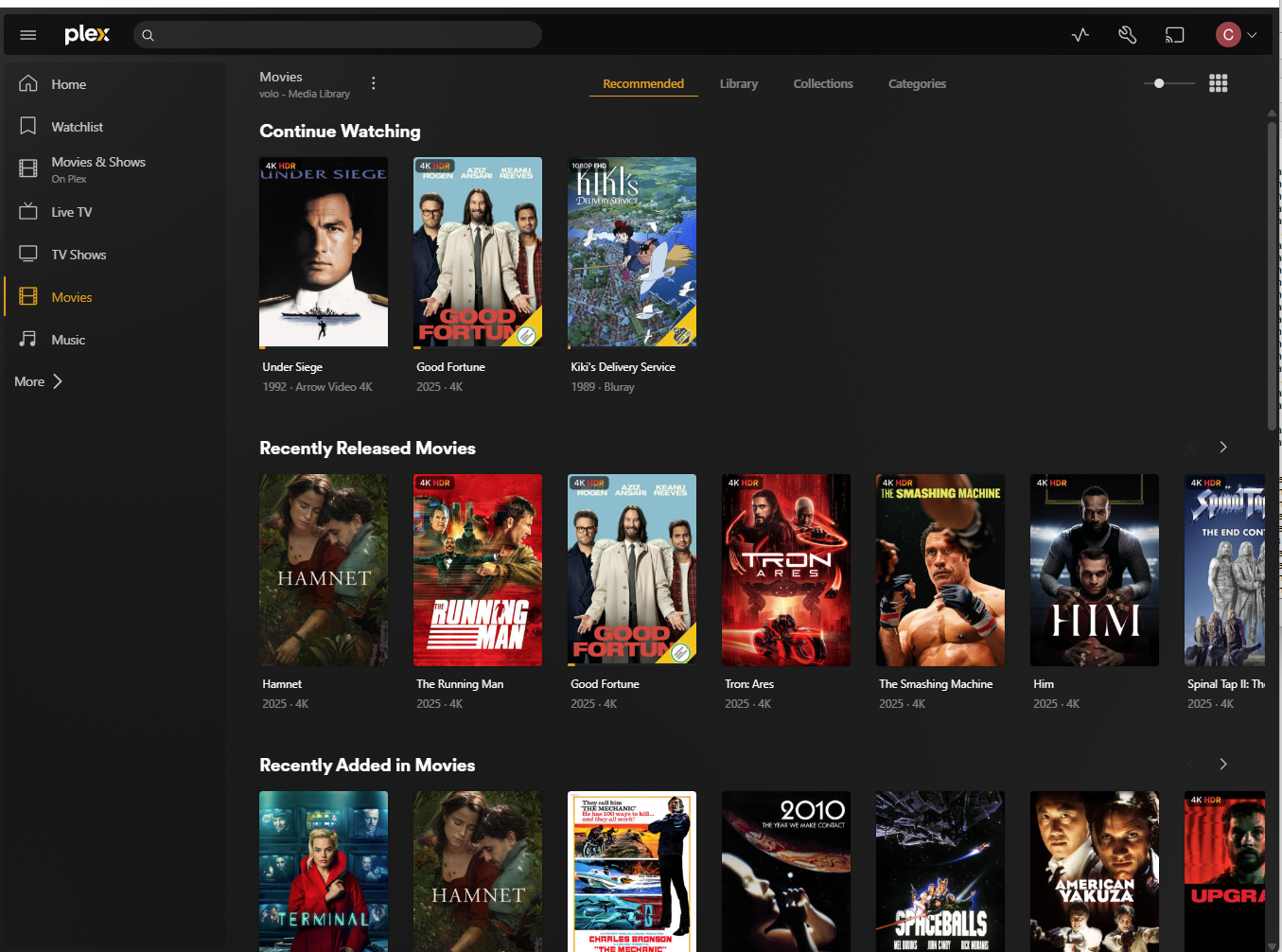
<table border="1" id="bkmrk-software%3A-filebot-wh" style="border-collapse: collapse; width: 100%;"><colgroup><col style="width: 19.3087%;"></col><col style="width: 23.242%;"></col><col style="width: 6.19785%;"></col><col style="width: 51.2515%;"></col></colgroup><tbody><tr><td style="background-color: rgb(53, 152, 219);"><span style="color: rgb(236, 240, 241);">**Software:**</span></td><td colspan="3" style="background-color: rgb(53, 152, 219);"><span style="color: rgb(236, 240, 241);">**Software Name**</span></td></tr><tr><td>**Why\\Problem Solved:**</td><td colspan="3">Plex allows you to organize and stream you backed up physical media files. Plex Media Server runs locally on your own hardware and support Windows &amp; Linux. (I host on Linux) Plex has apps for IOS, Android and most smart tvs and media players (Apple TV, Roku).</td></tr><tr><td>**Cost:**</td><td>**Free\\$6.99mo\\$249.99 Lifetime**</td><td>Link:</td><td>[Plex Media Server](https://www.plex.tv/your-media/ "Plex Media Server")  
[Plex Pass](https://www.plex.tv/plans/ "Plex Pass")</td></tr><tr><td>**Tips:**</td><td colspan="3">- I've been using Plex before the price increase and change to require plex pass for sharing outside your home. If I was starting now I would take a good long look at Jellyfin first as that is opensource and free.
- Plex can handle photos and music as well as your movies.
- [![image.png](https://ref.darkrivers.net/uploads/images/gallery/2026-03/scaled-1680-/8WgauDgLzlbNsd6k-image.png)](https://ref.darkrivers.net/uploads/images/gallery/2026-03/8WgauDgLzlbNsd6k-image.png)
</td></tr></tbody></table>

# Subtitle Edit

<table border="1" id="bkmrk-software%3A-filebot-wh" style="border-collapse: collapse; width: 100%;"><colgroup><col style="width: 19.3087%;"></col><col style="width: 23.242%;"></col><col style="width: 6.19785%;"></col><col style="width: 51.2515%;"></col></colgroup><tbody><tr><td style="background-color: rgb(53, 152, 219);"><span style="color: rgb(236, 240, 241);">**Software:**</span></td><td colspan="3" style="background-color: rgb(53, 152, 219);"><span style="color: rgb(236, 240, 241);">**Subtitle Edit**</span></td></tr><tr><td>**Why\\Problem Solved:**</td><td colspan="3">Subtitles can be a tricky component of backing up your movies to get correct. Even if you aren't interested in having subtitles available for every movie, you will often run into cases were foreign languages use default subtitle tracks to translate onscreen. This is pretty common in Scifi movies as well such as Star Wars or Star Trek to use subtitle tracks for alien languages. If you don't process them correctly they won't be there when you go to watch your digital backups. </td></tr><tr><td>**Cost:**</td><td>Open Source\\Free</td><td>Link:</td><td>[https://www.nikse.dk/subtitleedit](https://www.nikse.dk/subtitleedit "Subtitle Edit")</td></tr><tr><td>**Tips\\Screenshot:**</td><td colspan="3">- Be patient when opening your MKV file, sometimes it can take a minute before it fully loads.

[![image.png](https://www.dndplaylists.net/uploads/images/gallery/2026-03/scaled-1680-/Jf5b5pLtvlcfJEfW-image.png)](https://www.dndplaylists.net/uploads/images/gallery/2026-03/Jf5b5pLtvlcfJEfW-image.png)
</td></tr></tbody></table>

# Tautulli

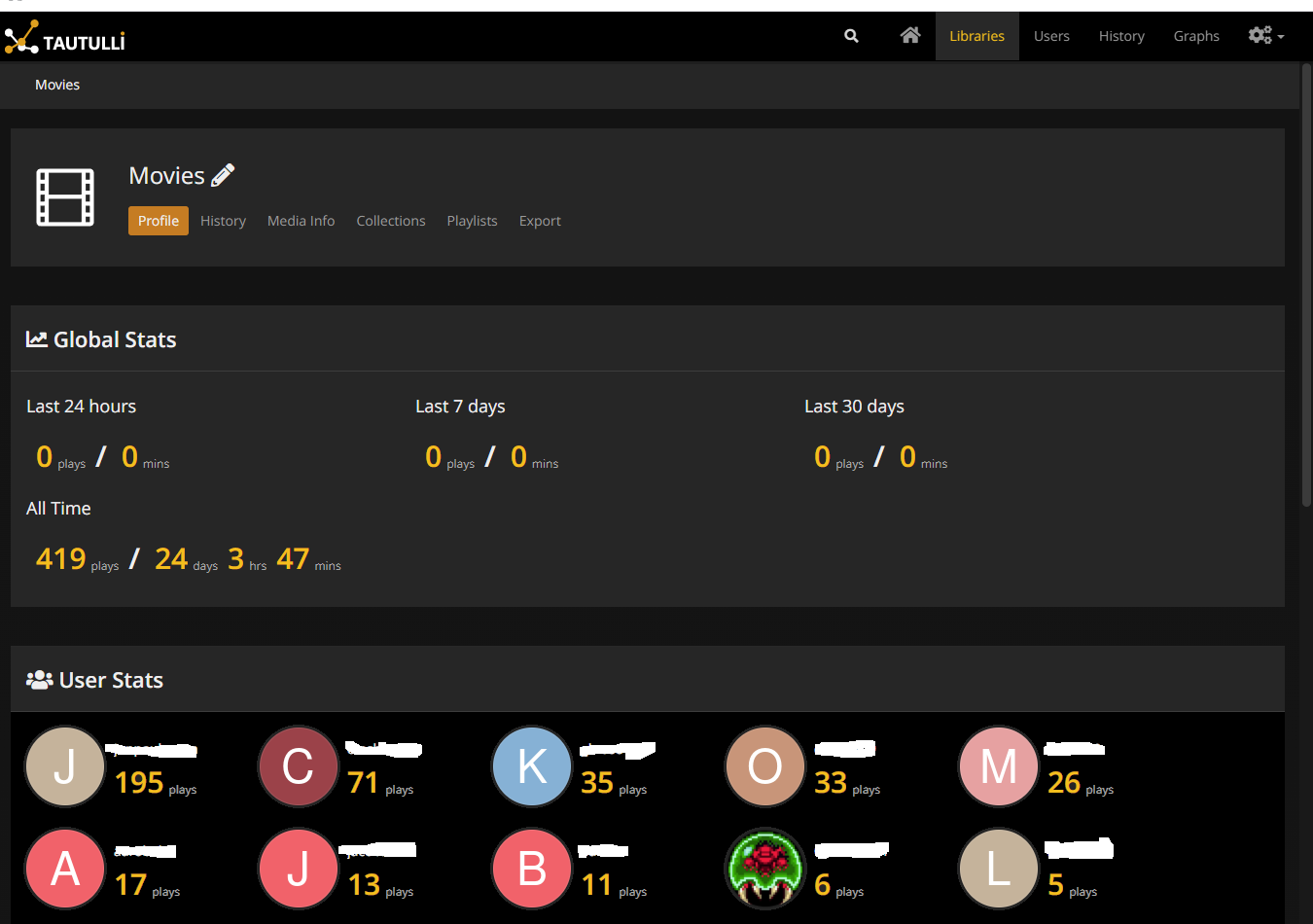
<table border="1" id="bkmrk-software%3A-filebot-wh" style="border-collapse: collapse; width: 100%;"><colgroup><col style="width: 19.3087%;"></col><col style="width: 23.242%;"></col><col style="width: 6.19785%;"></col><col style="width: 51.2515%;"></col></colgroup><tbody><tr><td style="background-color: rgb(53, 152, 219);"><span style="color: rgb(236, 240, 241);">**Software:**</span></td><td colspan="3" style="background-color: rgb(53, 152, 219);"><span style="color: rgb(236, 240, 241);">**Software Name**</span></td></tr><tr><td>**Why\\Problem Solved:**</td><td colspan="3">Tautilli is a companion for plex that gives you better dashboards and monitoring on what's going on with your plex server.</td></tr><tr><td>**Cost:**</td><td>Free Open Source</td><td>Link:</td><td>[https://tautulli.com/](https://tautulli.com/ "Tautilla")</td></tr><tr><td>**Tips:**</td><td colspan="3">- Easy to setup. Can be installed on your plex server or as a Docker container etc.
- Gives better views and monitoring than Plex Dashboard

[![image.png](https://ref.darkrivers.net/uploads/images/gallery/2026-03/scaled-1680-/pJ5qh7wnm0pHi0UO-image.png)](https://ref.darkrivers.net/uploads/images/gallery/2026-03/pJ5qh7wnm0pHi0UO-image.png)
</td></tr></tbody></table>